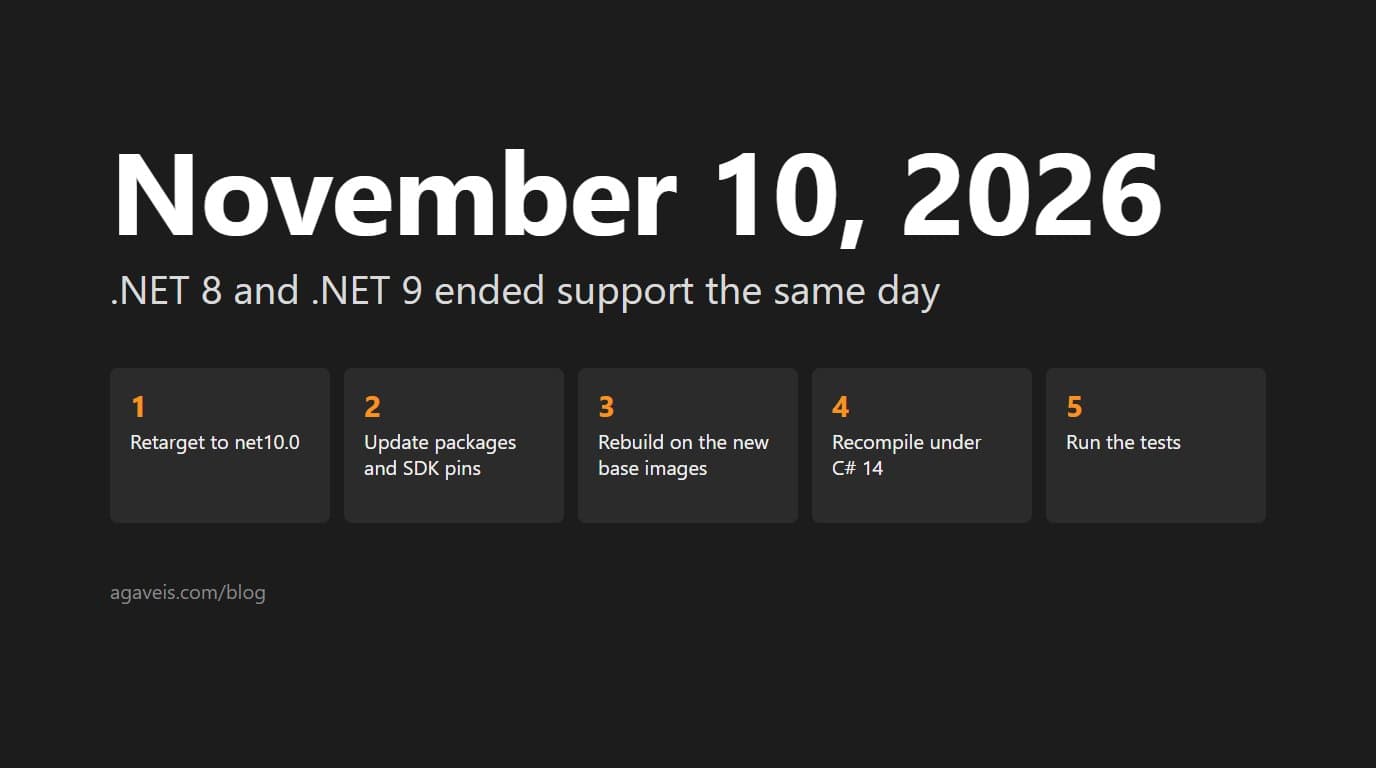
Microsoft ended support for .NET 8, a long-term support (LTS) release, and .NET 9, a standard-term support (STS) release, on the same day: Tuesday, November 10, 2026. After that date neither one gets another fix. The final patches were 8.0.34 and 9.0.23, both released on November 10, 2026. If your ASP.NET Core services run on either, here is what the date means, why the two versions ended together, and what the move to .NET 10 touches.
The Dates, From Microsoft
The dates below come from Microsoft's .NET and .NET Core support policy, last updated November 10, 2026. Microsoft's release index carries the same end dates.
- .NET 8 (LTS): released November 14, 2023. Support ended November 10, 2026.
- .NET 9 (STS): released November 12, 2024. Support ended November 10, 2026.
- .NET 10 (LTS): released November 11, 2025. End of support November 14, 2028.
- .NET 11 (STS): released November 10, 2026. End of support November 14, 2028.
The two ended together because of how long each kind of release lasts. The policy gives LTS releases three years of free support and patches and STS releases two, so .NET 8, a year older, ran out alongside .NET 9. Microsoft also aligns end dates with Patch Tuesday, the second Tuesday of the month, which put both on November 10. Both spent their final six months in the maintenance phase, when Microsoft shipped security fixes only.
What End of Support Means for a Running Service
On November 10, the fixes stopped. Microsoft defines end of life as the date it "no longer provides fixes, updates, or online technical assistance," and the policy covers the runtime, the SDK, ASP.NET Core and Entity Framework Core together. A vulnerability found in any of them now goes unpatched on 8 and 9. Microsoft's own warning is that out-of-support versions "may put your applications, application data, and computing environment at risk."
Support also assumes you stay current. The policy says a system needs the latest patch to qualify, and how you publish decides who installs it. On Windows, Microsoft Update can patch the shared runtime that framework-dependent apps use. A self-contained app carries its own copy, and the policy says such apps "are still responsible for keeping the runtime updated." Microsoft's deployment guide puts it in one line: "The application must be republished to obtain a new patch."
PremAgentic, the knowledge server on our portfolio, ships that way. Its release build uses exactly the SDK version pinned in its global.json file, because the SDK decides which runtime a self-contained build carries. Taking a runtime security patch means raising that one number and publishing again.
Why .NET 10, Not .NET 11
.NET 10 is the current LTS release, generally available since November 11, 2025 and supported to November 14, 2028. A move now buys two years before the next forced one.
.NET 11 does not change that. Microsoft released it on November 10, 2026. It is an odd-numbered release, which makes it STS with two years of support, and Microsoft lists its end of support as November 14, 2028, the same day as .NET 10. That buys no extra time, and .NET 10 has been generally available for a year. That matches the default on our modernization work: the current LTS release, unless a dependency or a hosting constraint says otherwise.
What an Upgrade From .NET 8 or 9 to .NET 10 Touches
For an app without Blazor, Microsoft's guide to moving ASP.NET Core from .NET 9 to .NET 10 comes down to three updates and one list to read: the SDK version in global.json, the target framework and the package references, then the breaking changes. The work is finding every place the old version number hides.
- The target framework. Each project file's
TargetFrameworkmoves fromnet8.0ornet9.0tonet10.0. - The packages. Microsoft.AspNetCore.*, Microsoft.EntityFrameworkCore.*, Microsoft.Extensions.* and System.Net.Http.Json references go to 10.0.0 or later. EF Core 8 and EF Core 9 also left support on November 10, and EF Core 10 requires the .NET 10 runtime, so the data layer moves with the app. Microsoft advises thorough testing across EF Core major versions.
- The SDK pins. A
global.jsonthat names a 9.0 SDK, a GitHub Actions step withdotnet-version: 9.0.x, and adotnet-eftool installed with a pinned--versionall carry the old number. A build machine still on the 9.0 SDK stops at anet10.0project with error NETSDK1045: "The current .NET SDK does not support" the newer target. - The container images. For .NET 10, tags that name no operating system, such as
mcr.microsoft.com/dotnet/aspnet:10.0, point to Ubuntu 24.04 instead of Debian, and Microsoft ships no Debian-based .NET 10 images. If your Dockerfile installs OS packages, test it on the new base. - The compiler. C# 14 ships with .NET 10 and binds span-based methods such as
MemoryExtensions.Containsin more places, including inside expression lambdas, where Microsoft warns they "will cause runtime exceptions when compiled with interpretation." A clean build does not prove unchanged behavior, so run the tests. - The restore step. Projects that target .NET 10 audit transitive packages for known vulnerabilities by default. If your build treats warnings as errors, a vulnerable package you never referenced directly can now fail the restore, and
dotnet nuget whyshows which package brought it in.
Microsoft's list of breaking changes in .NET 10 is the rest of the reading. It is grouped by technology area, so for a web service the sections to read are ASP.NET Core, containers, core .NET libraries, SDK and MSBuild, and Entity Framework Core.
Upgrade, Do Not Rewrite
A deadline tends to reopen a bigger question: if the code has to be touched anyway, should it move to another language? The upgrade above changes project files, packages, pins and images. A rewrite changes everything on its own timeline, and the service stays on an unsupported runtime for as long as it takes. Our post on when to rewrite .NET in Rust sets out the four questions that decide a rewrite, and they are worth answering before anyone proposes one.
PremAgentic went through a version of that choice. When its implementation language was decided, Rust came second, and C# on .NET 10, published self-contained, came first. If the four questions do point to new software, that is a custom development project with its own plan. If they do not, move the code you have to .NET 10.
Still on .NET Framework?
November 10 does not apply to .NET Framework. Microsoft's lifecycle page says it "follows the Component Lifecycle Policy" and lists no end date for 4.8 or 4.8.1. If you are planning a move off it, aim straight at .NET 10. There is no reason to stop at 8 or 9, since both left support on November 10.
That move is a larger project than a version bump, and the method matters more than the target. The safe way to run it keeps the old version online until the new one is ready. A directory platform in our portfolio moved off ASP.NET Web Forms onto a modern stack that way, with the old and new versions running side by side on one database and existing user accounts carried forward.
Where to Start
Make a list of every service: the .NET version it targets, whether it is published framework-dependent or self-contained, where its SDK is pinned, and which base image it builds on. That list shows which services already run on an unsupported version and what each move involves. We take on this work at a fixed scope and a fixed fee, priced after reading the code. Our .NET modernization page covers how the work is scoped.