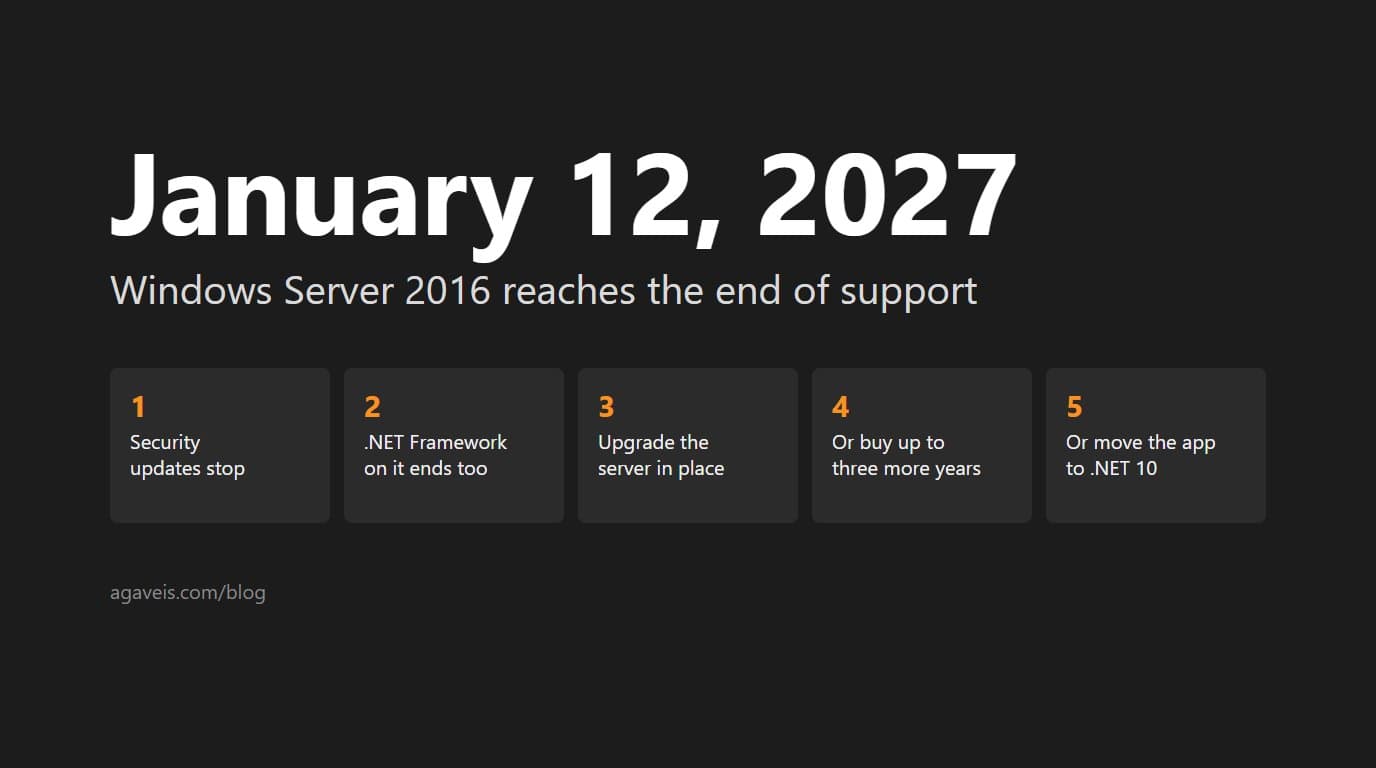
Windows Server 2016 reaches the end of extended support on January 12, 2027. From that day the monthly security updates stop unless you buy Microsoft's paid extension, and every .NET Framework version installed on the server leaves support with it. If an application of yours runs on a 2016 server, that is its date, whichever version of .NET Framework it targets.
The Dates, From Microsoft
Microsoft's lifecycle page for Windows Server 2016 covers the Datacenter, Essentials, MultiPoint Premium and Standard editions, and its Windows Server release information gives the same end date.
- Mainstream support: ended in January 2022.
- Extended support: ends January 12, 2027.
- Paid Extended Security Updates: three yearly steps, ending January 11, 2028, January 9, 2029 and January 8, 2030.
- Containers: "Containers released with Windows Server 2016 follow the same lifecycle dates."
The newer servers run longer. Extended support ends January 9, 2029 for Windows Server 2019, October 14, 2031 for Windows Server 2022, and November 14, 2034 for Windows Server 2025.
What Stops on January 12
The server keeps running. Nothing switches off. What ends is the supply of fixes. Microsoft's overview of Extended Security Updates says that when a product reaches the end of support, "it also means the end of security updates and bulletins," and that this "can cause security or compliance issues and put business applications at risk." Every flaw found in Windows Server 2016 after that day stays open on your machine.
What It Does to .NET Framework
On a server, .NET Framework follows Windows. Microsoft's .NET Framework support policy says that from version 4.5.2 it "is defined as a component of the Windows operating system (OS). Components receive the same support as their parent products." When the server leaves support, the runtime on it does too.
- 4.6.2 shipped with Windows Server 2016. It reaches its own end of support on January 12, 2027, on every operating system.
- 4.7 and 4.7.1 are supported on no server newer than 2016, so they end with it.
- 4.7.2 and 4.8 on a 2016 server end with that server. On a newer server they stay supported.
The application does not need a rebuild to run on a newer runtime. Microsoft describes 4.6.2 and later as "compatible, in-place updates" and says "Recompiling of apps to target these versions is not necessary." Our post on whether .NET Framework 4.8 is end of life has the registry check that shows which version a server runs.
Way 1: Upgrade the Server in Place
Microsoft's upgrade planning guide describes an in-place upgrade in one line: "Installs a newer version of Windows Server over the existing one, keeping your settings, server roles, features, and data." From Windows Server 2016 the supported targets are 2019, 2022 and 2025, each in a single step.
Three things to settle first. Each upgrade needs its own license: "Unlike Windows client, each Windows Server upgrade requires a separate license." Not every server role supports an in-place upgrade, so check the roles on the machine against Microsoft's list. And back up the system before you start, which is Microsoft's own instruction.
The newer server brings a newer runtime. Microsoft's version list shows .NET Framework 4.7.2 included in Windows Server 2019, 4.8 in Windows Server 2022 and 4.8.1 in Windows Server 2025. The application runs on it without a recompile.
Way 2: Build a New Server and Move the Application
The same guide lists the other route, a clean install on a new machine followed by a migration: "Moves roles or features from a source server to a different destination server running Windows Server." It is more work than an upgrade in place. In return the new system starts clean, and the old server stays up while the new one is tested, so there is something to switch back to.
Way 3: Pay for More Time
Microsoft sells Extended Security Updates for Windows Server 2016 for up to three years. They carry Critical and Important security updates and nothing else: the program "does not provide technical support beyond the original support timeline." They are sold through volume licensing or through Azure Arc. Hosting the server in Azure does not make them free, as it did for Windows Server 2012: "For Windows Server 2016, ESUs are a paid offering in Azure and incur additional charge."
Microsoft calls the program "a last resort paid option" and "a temporary bridge." Use it as one: a year bought on purpose, with the upgrade or the migration scheduled inside it.
Way 4: Move the Application to .NET 10
The first three ways keep the application on .NET Framework. The fourth changes the platform. .NET 10 is the current long-term support release, supported until November 14, 2028. Microsoft's supported operating system list for it names Windows Server 2016, 2019, 2022 and 2025, and Linux from Alpine and Debian to Red Hat and Ubuntu.
That list sets the order of work. The migrated application can go live on the server it runs on today and move to a new Windows Server or a Linux container afterward. How much code changes depends on what the application is. Microsoft's porting overview says libraries, console apps and desktop apps "usually require little change," while a move from ASP.NET to ASP.NET Core is among the projects that "require more work." ASP.NET Web Forms goes furthest: Microsoft's guidance for server apps says "ASP.NET Core can't be used for ASP.NET Web Forms," so those pages are rebuilt.
On our .NET modernization page the range is stated plainly: a small Web Forms application with straightforward data access finishes in weeks, and a large system with WCF services, COM interop and tightly coupled code takes months.
Which Way Fits
- The application works and nobody plans to change it: upgrade the server in place or build a new one. Windows Server 2022 carries it to October 14, 2031, and Windows Server 2025 to November 14, 2034.
- The application runs on 4.6.2, 4.7 or 4.7.1: the same move fixes both problems, because the new server brings the newer runtime.
- The application is still being developed: plan the move to .NET 10. Linux hosting and containers come with it.
- January 12 will arrive first: buy the first year of Extended Security Updates and put a date on the real fix.
Find Every 2016 Server First
Windows Server 2016 is version 1607, build 14393. On each server, this PowerShell line prints the name and the build:
Get-CimInstance Win32_OperatingSystem | Select-Object Caption, BuildNumberList every machine that answers 14393, the applications on it, and the .NET Framework version each one runs. That one page is the plan: which servers are upgraded in place, which are replaced, and which applications move to .NET 10.
AgaveIS takes on the application side of this at a fixed scope and a fixed fee, priced after reading the code. It starts with a free first conversation, and the .NET modernization page sets out each step after it. Around Phoenix and Scottsdale we also do the server installation itself.